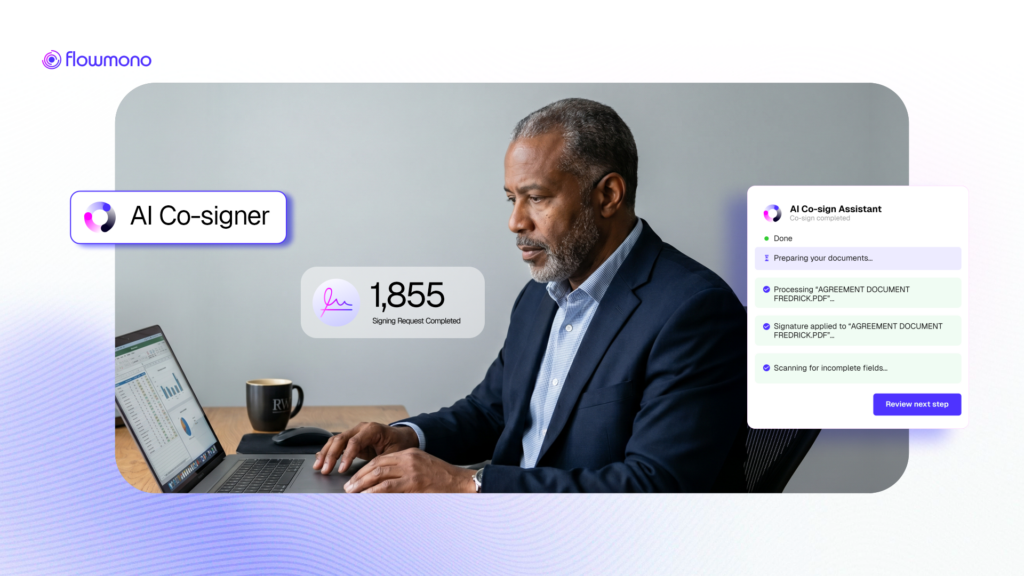
It is not automation that replaces you. It is intelligence that handles the parts of signing that were never worth your attention in the first place.
Picture your Monday morning.
There are eleven documents waiting in your queue. Three are vendor contracts. Four are internal approvals. Two are client-facing agreements. The other two are compliance acknowledgements. Each one needs a signature. Each one requires you to open it, find the field, select the right version of your signature, verify it is the correct one for this document type, and submit.
You have done this exact sequence hundreds of times. You will do it hundreds more. Nothing about it requires your judgment. Everything about it requires your attention.
That is the friction that AI Co-Signing was built to eliminate.
The Problem With How Signing Works Right Now
Most professionals who handle a significant volume of documents do not think of signing as a productivity problem. It is a small task. It takes seconds per document.
But research from the Harvard Business Review found that knowledge workers toggle between applications over 1,200 times per day, spending nearly four hours per week reorienting after each switch. Every time you open a document tool, locate a signature, and return to your main work, that transition carries a cognitive cost. Small individually. Significant in aggregate. Over a year, that overhead compounds into weeks of lost productive capacity.
Beyond the time cost is the consistency problem. Under pressure, the wrong signature ends up on the wrong document. A formal contract receives an informal signature. A client-facing agreement carries internal initials. These errors create confusion, back-and-forth, and occasionally, legal complications that are entirely avoidable.
The problem is not that people are careless. The problem is that repetition creates the conditions for error. When you perform the same manual selection hundreds of times, the likelihood of a mistake is not a character flaw. It is a statistical reality.
The Insight: Your Signing Already Has a Pattern. The System Should Know It.
Look at the documents you signed last month. There is almost certainly a pattern. Certain document types always get a specific signature format. Certain workflows always follow the same signing sequence. Those patterns are not random. They reflect your professional standards, your organizational protocols, and your communication conventions.
Currently, you re-apply those standards manually every time. You are the system. You are the pattern recognition. You are the consistency enforcement.
The insight behind AI Co-Signing is direct: if that pattern already exists in your work, the platform should learn it once and apply it consistently. Your expertise is what defined the pattern. The platform’s job is to honor it every time without requiring you to re-demonstrate it.
So What Exactly Is AI Co-Signing
AI Co-Signing on Flowmono is an assistive signing feature that combines your configuration with intelligent automation to apply the correct signature to the right document, automatically, every time a recognized document type arrives.
The best way to understand it is through the distinction between a co-pilot and an autopilot. An autopilot operates independently. A co-pilot operates alongside you, handling what it can handle so your focus goes where it is actually needed. AI Co-Signing is a co-pilot.
You define the rules. The system applies them. You retain final authority. Nothing is submitted without your explicit review and approval.
How It Works: The Three-Step Model
| 01 | Configure your signature profiles Flowmono allows you to create multiple signature profiles for different contexts. Your formal signature for external contracts. Your initials for internal approvals. A specific format for client-facing documents. Each profile captures exactly what that category of document requires. |
| 02 | Map profiles to document categories Once your profiles are created, you map them to document categories. Contracts receive your formal signature. NDA acknowledgements receive a specific format. HR documents follow their own standard. This mapping is set once and applies consistently from that point forward. |
| 03 | Let the system handle the matching When a signing request arrives and the document is opened, Flowmono checks for a matching category. If a match exists, the correct signature is automatically applied before you even look for the field. You review the document, confirm it is accurate, and submit. If no match exists, you are prompted to sign manually. At every step, you are in control of what gets finalized. |
What AI Co-Signing Is Not
This is worth stating directly, because the word ‘AI’ in document workflows can raise reasonable questions about control and security.
AI Co-Signing does not submit documents automatically. Every document is reviewed and submitted by you.
AI Co-Signing does not have access to your signature and cannot send it to another user. It matches a class of documents and allows the system to automatically match the document class to the appropriate signature using an algorithm.
AI Co-Signing does not make judgment calls about your professional or legal obligations. It applies the rules you defined to the documents that match them.
AI Co-Signing does not operate when there is no established match. Unrecognized document types route to manual signing, preserving your full oversight at the edge cases where it matters most.
The automation handles the mechanical repetition. The decision authority stays with the person who has the professional responsibility for that decision.
Who AI Co-Signing Is Built For
| If you are… | Here is what changes |
| A legal operations manager processing contracts daily | Contracts open with the correct signature profile already applied. Review time replaces selection time. |
| A procurement officer managing vendor agreements | Each vendor document type maps to the correct format automatically. No selection errors. No inconsistency across a high volume of engagements. |
| A CFO approving financial documents | Approval documents arrive pre-mapped. You review the substance, not the signature mechanics. |
| An operations leader handling compliance acknowledgements | Recurring compliance documents process consistently, with a full audit trail, without manual signature selection every time. |
| When signing is intelligent, every hour your team previously spent on mechanical repetition becomes an hour available for the work that actually requires their expertise. That is not a productivity improvement. That is a structural shift in how your team’s attention is allocated. |
Try AI Co-Signing on Flowmono
AI Co-Signing is live now on Flowmono. Set up your signature profiles. Map them to your most common document categories. The next time a contract arrives, you will open it and find the right signature already in place.
If you are new to Flowmono, start here. Both AI Co-Signing and the PDF Converter are included.
