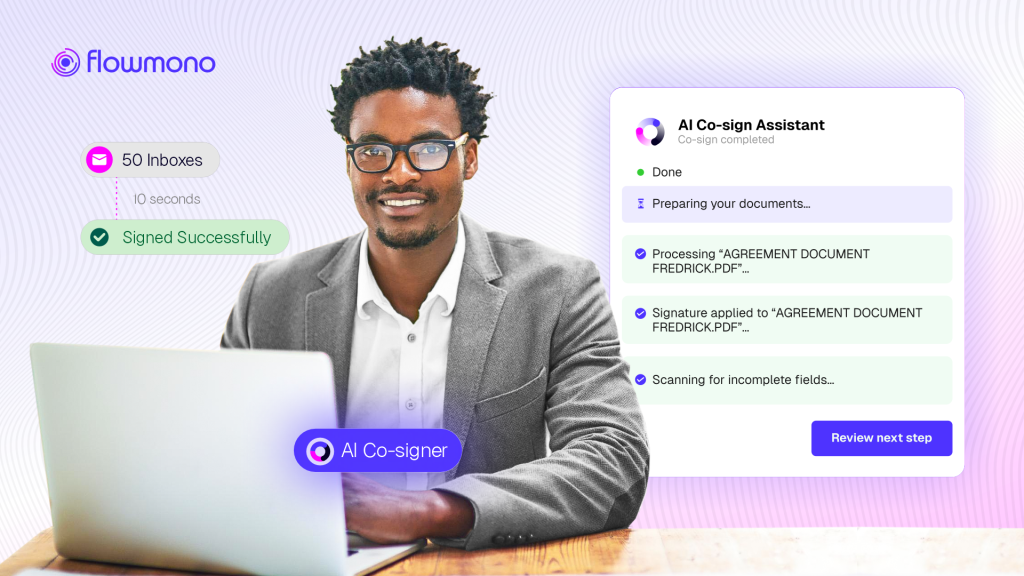
Features are easy to describe in the abstract. What matters is what they look like in the moment your team is working. This is that picture: a precise operational walkthrough of AI Co-Signing from document arrival to submission, across the workflows where it changes the most.
There is a gap between understanding a feature and understanding what it actually feels like to use it.
This article closes that gap.
AI Co-Signing has been described in terms of what it is and how it works technically. This article describes it operationally: what your team member’s working day looks like at the moment a document arrives, what happens without AI Co-Signing, what happens with it, and what the downstream effects of that difference look like across an afternoon, a week, and a quarter.
The walkthrough covers five different industries, because the document that arrives and the workflow it sits inside are different in banking, in legal operations, in finance and accounts payable, in real estate, and in procurement. The common thread is what disappears from each workflow when the mechanical overhead is removed.
The Baseline: What Happens Without AI Co-Signing
Before describing the changed workflow, it is worth being specific about what the unchanged one costs.
| 19 days | Average contract processing time when managed manually. With automation, the same process completes in 3 days. That is a 73% efficiency improvement sitting in the workflow untouched. Source: SpotDraft Contract Efficiency Benchmarking Survey, 2025 |
| 57% | of AP professionals identify manual data entry as their top challenge, with 53% reporting that the resulting errors delay the approval process downstream. Source: Tipalti Accounts Payable Automation Trends Report, 2025 |
| 56% | of legal teams take a week or more to close standard contracts, including routine NDAs, with some taking 15 or more days for documents that require only basic review and signing. Source: SpotDraft Contract Efficiency Benchmarking Survey, 2025 |
These numbers share a common cause. Research from DocJuris identifies the core pattern: the processes that work when a team reviews five contracts a week completely break down at twenty or thirty. Email threads multiply. Version control becomes a full-time job. Deal velocity slows to a crawl. Not because the team is incapable, but because the system was never designed to handle volume without human-bridging at every step.
Signing is one of those bridging steps. It requires the human to open the document, locate the signature field, select the correct format, verify it matches the document type, and submit. Eleven to thirty seconds per document. Repeated hundreds of times per month. Carrying all the error potential of any repeated manual selection under time pressure.
The Changed Workflow: Five Industries, One Pattern
What follows is a concrete operational walkthrough in each of five industries. The document type changes. The signing convention changes. The magnitude of the improvement changes. The pattern does not.
Banking: The Loan Officer Processing a Credit Facility Package
A corporate relationship manager at a mid-size bank is managing a credit facility renewal for an institutional client. The package consists of seven documents: the facility agreement, two security documents, a guarantee, a subordination agreement, an environmental compliance declaration, and an internal authorization memo.
Each of these documents carries a different signing requirement. The facility agreement requires the relationship manager’s authorized signatory format. The internal memo requires their operational sign-off format. The environmental compliance document requires the department’s standard compliance acknowledgement.
| Without AI Co-Signing | With AI Co-Signing |
| Open document 1. Locate signature field. Select authorized signatory format. Verify. Submit. | Document 1 opens with authorized signatory profile already applied. Review terms. Submit. |
| Open document 2. Locate field. Remember this one needs the operational format. Correct the selection. Submit. | Document 2 opens with operational sign-off profile applied based on document category. Review. Submit. |
| Open document 3. Check what type this is. Select compliance format. Submit. | Document 3 opens with compliance acknowledgement profile. Review. Submit. |
| Repeat for four more documents, re-selecting the format for each one. | Four remaining documents each open pre-mapped. The relationship manager’s attention is on the substance of each document. |
| Total time on signing mechanics: 4 to 7 minutes. Error risk increases with each selection under time pressure. | Total time on signing mechanics: near zero. All attention goes to document review. |
Legal Operations: The In-House Lawyer Managing a Weekly Document Queue
According to the Ironclad 2025 Contracting Benchmark Report, legal is involved in 75 percent of contracts in the business services sector. For an in-house legal team processing vendor agreements, NDAs, engagement letters, regulatory submissions, and internal policy sign-offs simultaneously, the signing queue by end of week can exceed sixty documents.
Each document type in that queue carries its own organizational signing standard. Partner-level agreements use the senior counsel’s authorized format. HR documents use the people operations sign-off. Vendor NDAs use the standard commercial format. Regulatory submissions use the compliance authorization.
Without profile mapping, each document requires the lawyer to identify the type, select the format, verify the selection, and proceed. Sixty documents. Sixty manual identifications. Sixty format selections. Across a team where this person’s time costs several thousand dollars per day, the aggregate cost of those sixty mechanical selections is not trivial.
With AI Co-Signing and signature profiles configured for each document category, the lawyer opens each document and finds the correct format already applied. They review the substance. They submit. The signing queue that previously consumed twenty to forty minutes of mechanical attention reduces to a review-only exercise. The lawyer’s capacity goes back to the legal judgment that justifies their role.
Finance and Accounts Payable: The Controller Managing Monthly Invoice Sign-offs
An AP team at a manufacturing company processes around three hundred invoices per month requiring sign-off. The invoices fall into six categories: standard vendor invoices below threshold (requiring AP manager sign-off), invoices above threshold (requiring controller sign-off), capital expenditure invoices (requiring CFO authorization), amendment agreements (requiring commercial sign-off), supplier performance addenda (requiring procurement sign-off), and compliance certification renewals (requiring legal acknowledgement).
Manual invoice routing takes an average of ten or more days per document when the process is unautomated. For the controller reviewing documents in the queue above their threshold, the signing mechanic adds overhead to an approval that already carries responsibility. Selecting the correct authorization format for each invoice category is a task that consumes seconds individually and minutes in aggregate per review session.
On Flowmono, all invoices fall into one category called “Invoice”. And so, with a signature mapped to this category, the CFO can open, for instance, a capital expenditure invoice and find his or her signature already applied. The controller can open a threshold invoice and find the controller sign-off format in place. The procurement manager can open a supplier addendum and sees the commercial sign-off. Each approver’s attention goes to whether to approve the invoice, not to which signing format corresponds to this invoice category.
The operational improvement is not just speed. It is accuracy.
Real Estate and Property Management: The Leasing Manager Handling a Portfolio of Lease Renewals
A commercial property manager overseeing a portfolio of forty tenants is processing quarterly lease renewals alongside new tenant agreements, maintenance contract renewals, and property insurance documentation. Each document type carries different signing authority requirements.
Lease renewal agreements require the portfolio manager’s commercial sign-off. Insurance policy renewals require the risk authorization format. Maintenance contract extensions require the operations sign-off. New tenant agreements require the full commercial execution format. Property managers using automated approval workflows report that lease approvals that once took weeks now complete in days or hours. The reduction in approval time directly affects vacancy rates and rental income, making document processing speed a commercial metric, not just an operational one.
With AI Co-Signing configured and a signature mapped to the “Contract” category, a lease renewal document opens with the portfolio manager’s commercial sign-off profile applied. A maintenance contract extension opens with the operations format. The manager reviews the terms of each document, not the signing mechanics. Across forty active tenants processing multiple documents per quarter, that mechanical overhead is material.
Procurement: The Category Manager Executing Vendor Contracts Across a Supplier Base
A category manager responsible for a manufacturer’s indirect procurement portfolio is executing thirty-five vendor contract renewals in a single week, alongside eight supplier qualification documents and twelve purchase order amendments. Each document category has its own signing convention.
Vendor contracts carry the commercial authorization. Supplier qualification documents carry the compliance sign-off. Purchase order amendments carry the procurement authorization. Without profile mapping, the category manager manually selects the correct format forty-five times across fifty-five documents during the week. Given the volume and the range of document categories, the likelihood of a format error is non-trivial.
With AI Co-Signing profiles configured for each category, every document opens pre-mapped. The category manager reviews the commercial terms of each contract, the compliance details of each qualification document, and the scope of each amendment. The signing selection step, which was occurring fifty-five times this week, occurs zero times. The same professional judgment is exercised on each document. The mechanical overhead that surrounded it is gone.
The Timeline: What a Morning Looks Like
The walkthrough above describes the per-document improvement. The timeline below describes what a morning looks like when those improvements compound across a realistic document queue.
| 8:02 am Signing queue opens What happens: Fourteen documents are waiting. Six vendor contracts, three compliance acknowledgements, two internal authorizations, two NDA renewals, one supplier qualification. With AI Co-Signing: All fourteen documents are pre-mapped to their categories. The correct signature profile is already applied to each one when it opens. No selection required. |
| 8:04 am First four vendor contracts reviewed and submitted What happens: Each contract opened. Signature field located. Commercial format selected. Selection verified. Submitted. Time per document: 55 seconds average. With AI Co-Signing: Each contract opens with signature applied. Review terms. Confirm. Submit. Time per document: under 20 seconds. |
| 8:12 am Compliance acknowledgements processed What happens: Each document opened. Compliance format located. Previous selection was for commercial. Corrected. Submitted. One document required a re-sign because the wrong format was selected under time pressure. With AI Co-Signing: All three open with compliance acknowledgement profile applied. No correction needed. Review and submit. |
| 8:19 am Internal authorizations and NDA renewals What happens: Each document required identification of document type before selecting format. Two NDAs processed correctly. One authorization signed with commercial format before error noticed. Correction sent. With AI Co-Signing: Both internal authorizations and NDAs open with correct profiles. No identification step needed. No correction. Fourteen documents processed. |
| 8:24 am Queue complete What happens: 22 minutes. One re-signing required. Three format verifications. Full attention on mechanics rather than substance throughout. With AI Co-Signing: 14 documents reviewed and submitted in 22 minutes. Zero re-signings. Zero format corrections. Attention on document substance throughout. |
| The difference is not dramatic in any single document. It is significant across every document. And it compounds with every signing event that follows the initial configuration. |
Try AI Co-Signing on Your Next Document
AI Co-Signing is live on Flowmono now. Log in, configure your signature profiles for the document categories your team processes most frequently, and run your next signing queue. The timeline described above reflects what teams are reporting once profiles are in place.
New to Flowmono? Start here.
