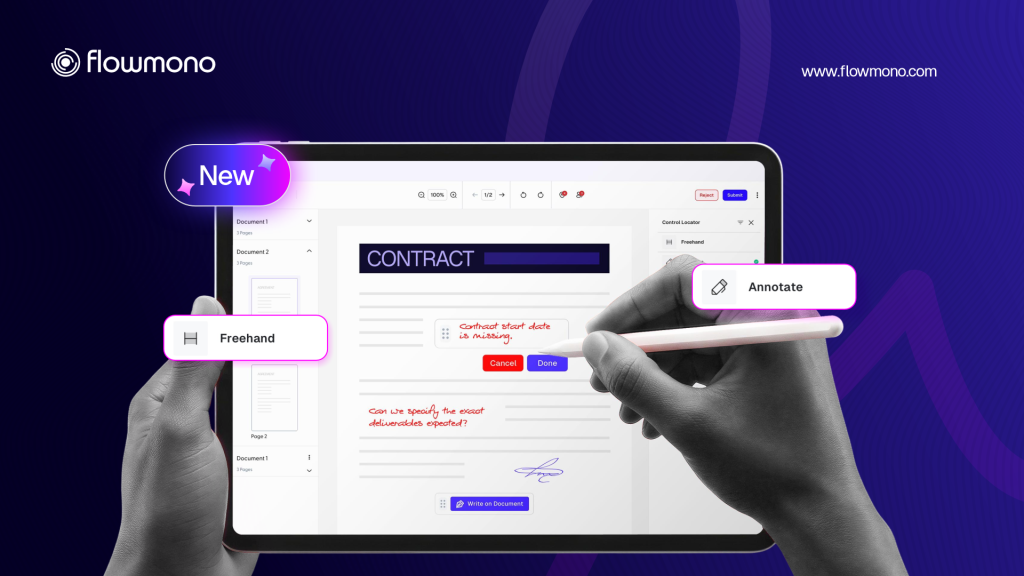
The Problem With Fields
Every conventional e-signing tool is built around the same assumption: someone needs to decide, in advance, exactly where on a document a signature should go. A field is placed. A box appears. The signer clicks inside it.
This works reliably for standardized documents with known signatories and fixed layouts. It breaks down for everything else. The executive reviewing a construction variation order who needs to initial three paragraphs and comment on a fourth. The external legal counsel who wants to sign in the margin next to the clause they have accepted. The bank relationship manager approving a credit memo who needs to mark a passage and add a handwritten note.
These are not edge cases. They are the normal reality of how senior decision-makers interact with documents. And the conventional e-signing field model cannot accommodate them without a workflow reset: the document goes back, the fields are repositioned, the document is resent.
The field model was designed to make signing administratively tidy. The Freehand Signer was designed to make signing operationally real.
Introducing the Flowmono Freehand Signer
The Flowmono Freehand Signer is a signing and annotation mode that removes the placeholder requirement entirely. A signer using the Freehand Signer can place their signature, initials, text annotations, or freehand markup anywhere on any page of the document, using your finger/a pencil under 16 milliseconds.
That latency figure matters. At sub-16ms, the gap between the physical motion of the hand and the appearance of the stroke on screen is undetectable to the human eye. The interaction feels like ink on paper.
There are no fields to create. No positions to configure in advance. The document opens, the annotation tool is activated, and the signer works directly on the document.
Free Signer: Effortless Signing, Zero Cost
Within Flowmono, the Freehand Signer operates through a specific configuration that gives organization administrators precise control over which recipients can sign freely, while maintaining full governance over every action.
1. Organisation Admin configures the Free Signer list
The Organisation Admin adds email addresses to the Free Signer list inside the Flowmono platform. Recipients on this list are designated as eligible to sign without assigned controls. This is a one-time administrative action that applies across all future documents sent to those recipients.
2. Initiator adds the recipient
When an initiator creates a signing workflow and adds a recipient whose email matches a configured Free Signer address, the system automatically identifies them as a Free Signer. No signing controls are required for that recipient. The initiator may optionally place a highlight to suggest where the Free Signer should sign, but this is not mandatory.
3. Free Signer receives and opens the document
When the Free Signer opens the document, the annotation tool is automatically activated. The recipient can immediately place their signature, initials, text, or annotations directly on the document at any location, on any page, without restriction.u
4. Free Signer completes and submits
Unlike structured signing, where controls are validated before the document can be sent, Free Signer validation is bypassed. The system recognises the Free Signer designation and allows unrestricted annotation without triggering the standard control-requirement check.
What Is Different About This Experience
Standard signers in Flowmono must have assigned controls placed on the document before it can be sent. They can only interact with those assigned controls. The validation engine prevents sending without them. This is appropriate for formal regulated workflows where the precise location of a signature carries legal significance.
Free Signers operate under a different set of rules because their signing scenarios are structurally different. An external vendor signing a goods receipt confirmation may need to sign in a different location than the template anticipated. A construction contractor signing a site inspection record may need to annotate findings that were not foreseeable when the document was prepared. A government official approving a procurement submission may prefer to sign in the margin next to the authorizing clause.
All of these are real, legitimate signing conventions that the placeholder model cannot accommodate without friction. The Freehand Signer accommodates all of them natively.
Who the Free Signer Is Designed For
The Free Signer designation is particularly useful for external parties: vendors, partners, contractors, and customers who interact with documents in contexts where exact signature placement cannot be predetermined. It is equally useful for senior internal signatories whose review and approval style involves annotation and commentary, not just checkbox confirmation.
The configuration sits with the organization Admin, which means free signing access is governed, not open. The administrator decides which email addresses carry Free Signer status. The initiator cannot grant it arbitrarily. The governance layer remains intact even as the signing experience becomes genuinely flexible.
The Audit Trail Does Not Change
One concern that arises with flexible, placeholderless signing is evidentiary quality. If a signer can mark anywhere on a document, does that reduce the legal defensibility of the result compared to a structured, field-based signature?
The answer, within the Flowmono architecture, is no. Every stroke placed by a Free Signer is handled by the same six-layer architecture that governs all activity on the platform: the PDF layer, annotation layer, gesture engine, audit engine, workflow engine, and AI intelligence layer. The audit engine captures every annotation event with a timestamp and identity link at the moment it occurs. The resulting record is tamper-evident regardless of where on the document the annotation was placed.
The flexibility is in the placement. The rigour is in the record. Explore the Flowmono Freehand Signer and see what signing looks like when it matches the way your hand actually moves.
