Managing documents should not feel like a second job. But for most teams, it still does.
Every “quick” document task comes with a price. You convert a file, compress it elsewhere, and then pray you found the right signature version. That behind-the-scenes friction is a bottleneck. Let’s look at how to streamline your document workflow from start to finish.
It feels routine, until you realize how much time it’s costing you.
Minutes turn into hours. Small inefficiencies turn into delays. And before long, your workflow isn’t just slow, it’s unpredictable.
That is exactly what Flowmono was built to solve.
And today, we are making it even more powerful.
We are introducing a new feature: AI Co-Signing. This transforms Flowmono into a complete, end-to-end document hub so you can spend less time managing files and more time moving work forward.
AI Co-Signing: The Right Signature, Every Time
Every professional has a signature. Some have two or three, a formal one for contracts, initials for internal approvals. Managing them shouldn’t be a job in itself. But for anyone handling a high volume of documents, it becomes one.
Here’s what that looks like in practice:
Open the document. Find the signature field. Select the right signature. Double-check it’s correct. Submit. Repeat.
Doing it manually, at first, it feels like a small task something you barely notice. But repetition is where time goes. And it is where mistakes begin to creep in.
The wrong signature on the wrong document isn’t just an inconvenience. It creates confusion, triggers delays, and sets off a chain of unnecessary back-and-forth. What started as a minor error becomes a disruption nobody planned for.
The problem was never signing. It was the repetition baked into the process, the manual effort that compounds silently, every single day, across every single document.
And repetition doesn’t scale. People do their best work when they’re thinking, not checking. When they’re deciding, not confirming the same thing for the hundredth time.
That’s exactly what AI Co-Signing was built to solve.
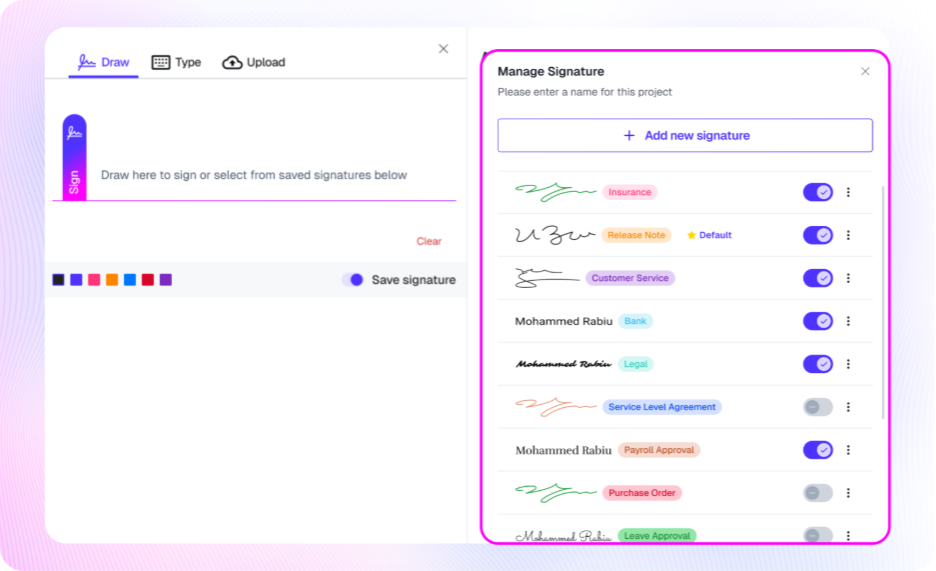
Flowmono AI Co-Signing is an assistive feature that combines your input with smart automation. You set the signature in the categories once, and Flowmono applies them consistently, every time a matching document appears, without exception and without delay.
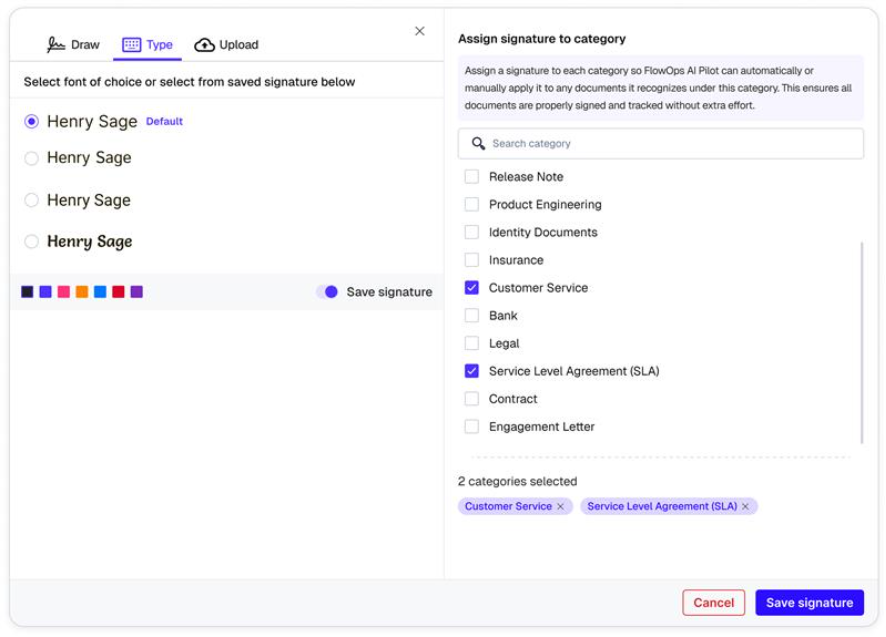
You assign signature profiles to document categories. Contracts use your formal signature. The logic is yours. The execution is Flowmono’s.
What used to take deliberate attention now happens in the background, invisibly and accurately, at scale.
Your team stops managing signatures and starts moving work forward. Every document gets exactly what it needs, exactly when it needs it, because the right signature, on the right document, should never be something you have to think twice about.
How it works:
1. Configure your signature profiles
2. Map them to document categories
3. A signature comes in and is categorized
4. Open the document, your signature is already applied if there’s a match
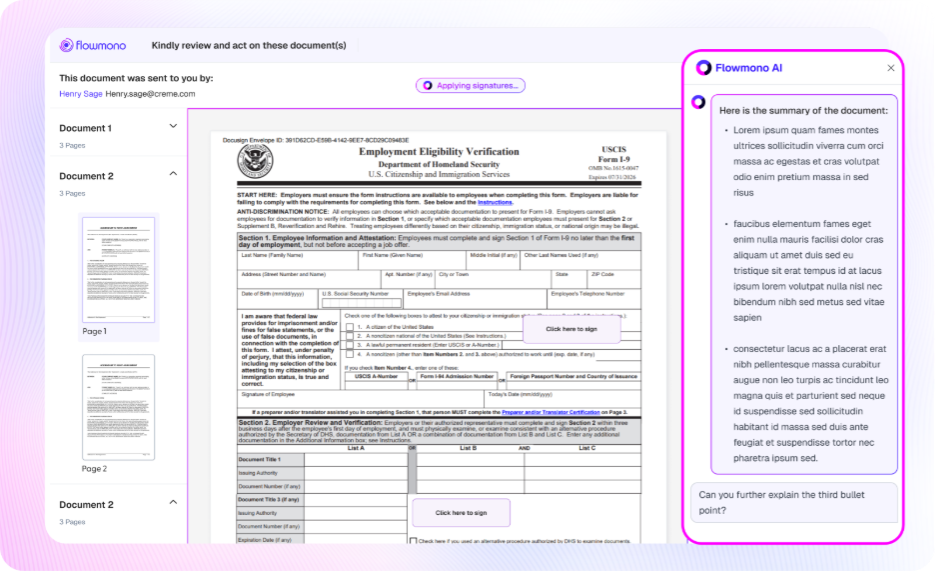
5. Review and submit
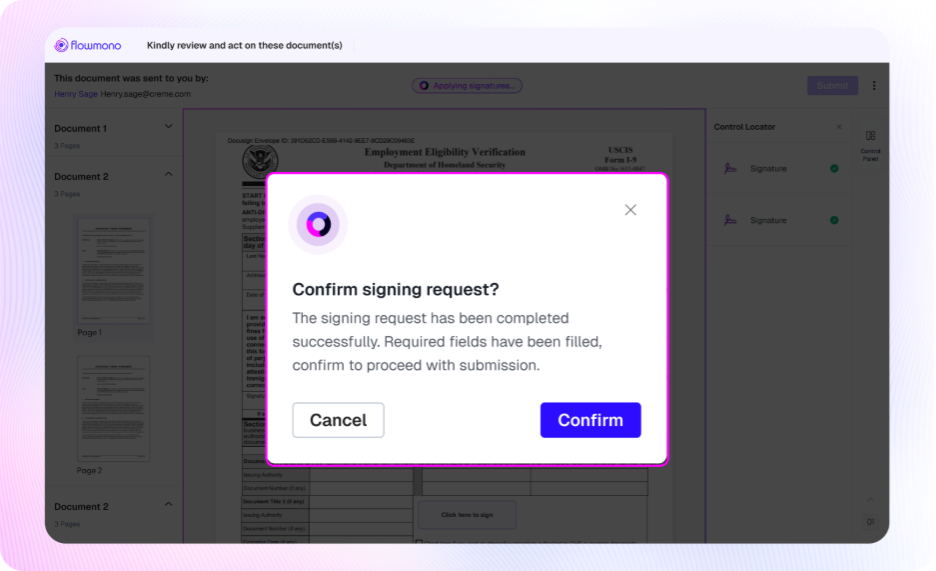
And if there’s no match? You stay in control and choose manually.
Because this isn’t automation that replaces you.
Nothing is ever submitted without your approval.
AI Co-Signing handles the repetitive mechanics then you handle the decision.
Think of it as a co-pilot, not an autopilot.
The PDF Converter: Your All-in-One Document Workstation
Think about how often you have to leave your workflow just to prepare a file.
Maybe you needed to convert an Excel sheet into a PDF before sending it out.
Maybe you had multiple reports that needed to be merged into one.
Or maybe a file was too large to upload smoothly.
It seems like a small step, until you have to do it repeatedly.
Each time you switch tools, you lose focus.
Each external upload introduces risk.
Each extra step slows your execution.
Using third-party PDF converters solve part of this problem, but there’s more to it.
You upload sensitive documents to external servers, then restart your workflow all over again.
The real issue isn’t file conversion.
It’s leaving your workflow to do it.
With Flowmono’s PDF Converter, that entire process now lives in one place.
Convert, compress, merge, or split your files and move them directly into a signing workflow without switching tabs. Faster, simpler, and more secure.
How it works:
1. Select your action: convert, merge, split, or compress
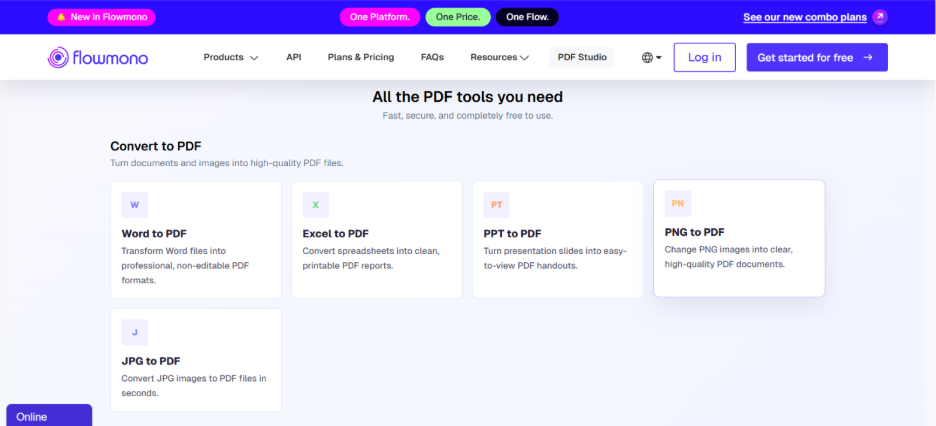
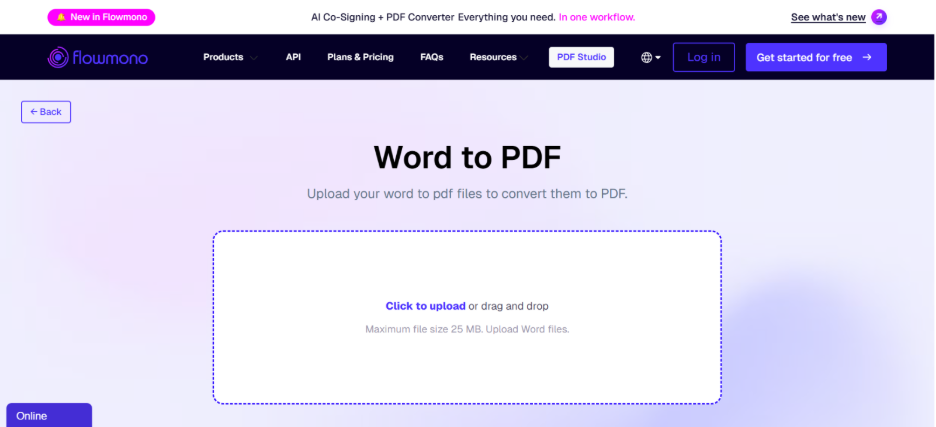
2. Upload your file(s)
3. Download your file(s)
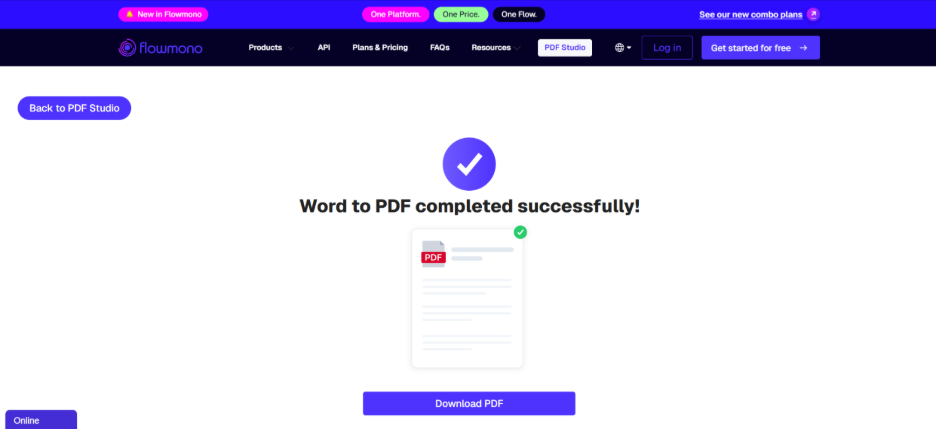
No extra tools. No repeated steps. No broken flow.
What This Means for Your Workflow
When you remove repetition and fragmentation, something powerful happens:
1. Work moves faster
2. Errors decrease
3. Processes become consistent
4. Teams regain focus
This isn’t just about saving time.
It’s about removing unnecessary work entirely.
From raw file to signed document in seconds.
From scattered tools to one seamless system.
From repetition to efficiency.
What’s New
1. No more external tools: Convert, compress, merge, and sign without leaving Flowmono.
2. Right signature, every time: because your NDA and your invoice shouldn’t be treated the same
3. Raw file to signed document in seconds
4. Full control: You review before anything is submitted
Ready to Try It?
Both features are now live.
Log in to Flowmono and try the PDF Studio on your next document.
Or explore AI Co-Signing and experience what it feels like to remove repetition from your workflow.
Because managing documents shouldn’t slow you down.
And now, it doesn’t have to.
