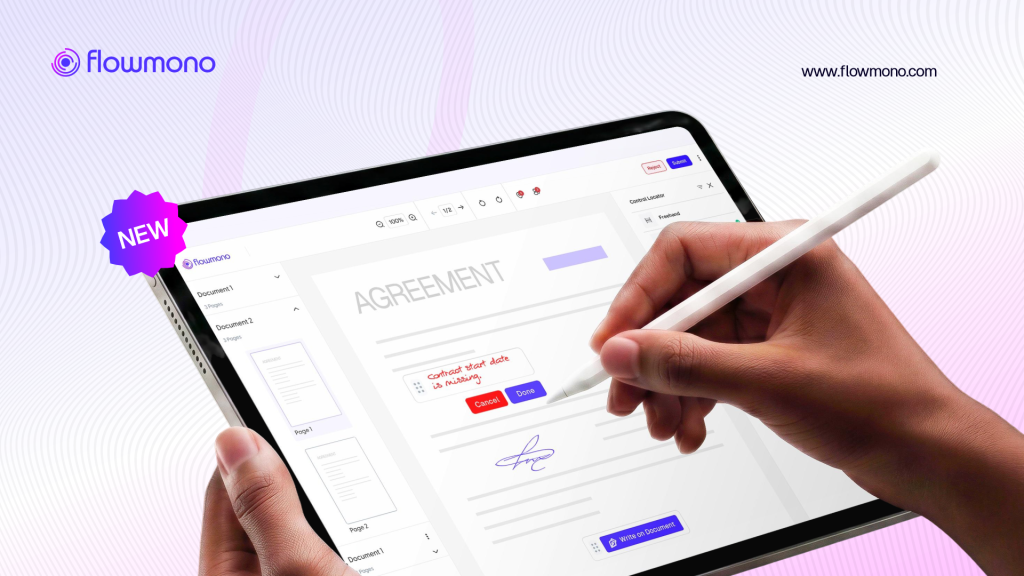
Most enterprise document tools are designed for documents that are already structured. The contract template has fields. The form has boxes. The approval workflow has defined signature positions. These tools work well when the document and the signing convention are both predictable.
Real document operations are not always predictable. Construction site inspection records require annotation in locations that cannot be known until the inspection happens. Executive review of a credit memo involves marking specific passages that will differ from document to document. A government official signing a procurement submission may want to add a note adjacent to the clause they are authorizing, not at a predefined field at the bottom of the page.
The Flowmono freehand tool is built for this reality. It is an iPad/tablet-first, stylos pen-native signing and annotation environment that removes the placeholder requirement while maintaining the full governance and audit infrastructure of the broader Flowmono platform.
Who a Free Signer Is
A Free Signer is a recipient whose email address has been pre-approved by an organization admin to sign without assigned signing controls. Standard recipients need a signature field, initials box, or date field placed on the document before it can be sent. Free Signers skip that step entirely. They can place their signature, initials, text, or annotations anywhere on the page.
This isn’t a workaround or an exception you have to remember to apply. It’s a status tied to the recipient’s email address, so once it’s set, it applies automatically every time that address shows up on a document.
How Free Signer Works
Setting it up takes two separate actions: one from the Organization Admin, and one from whoever initiates the document.
1. Configure the Free Signer List: The organization admin adds and manages the list of email addresses eligible for Free Signer status. This is a one-time setup per recipient, not something repeated on every document.
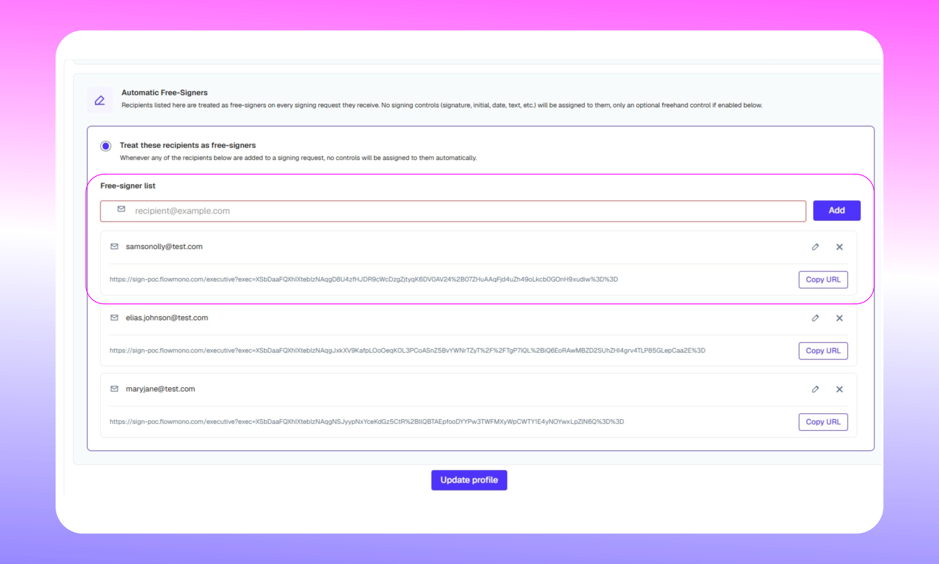
2. Add the Recipient as Usual: When an initiator adds a recipient to a document and that email matches one on the Free Signer list, the system recognizes it automatically. No manual toggle, no extra step in the sending flow.
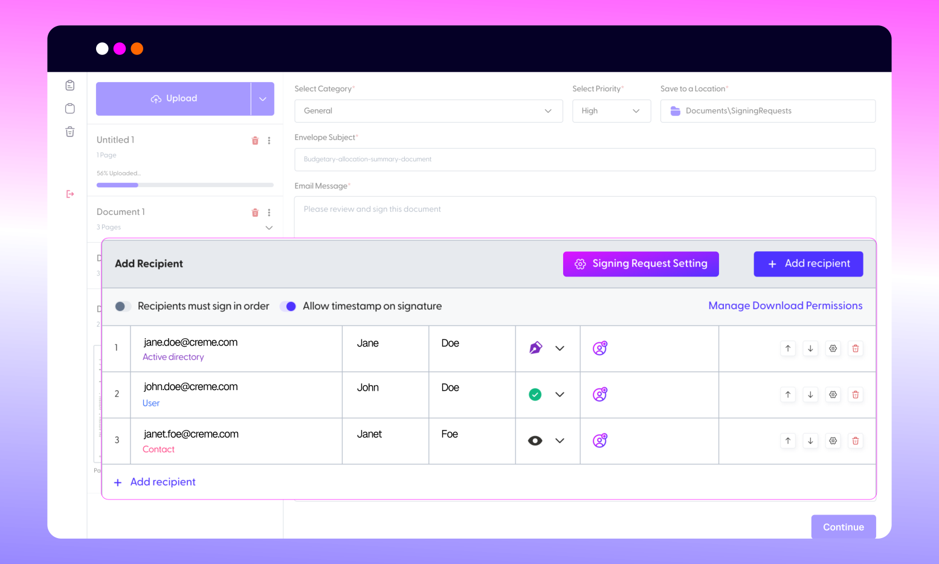
3. Skip the Controls, or Add a Hint: No signing controls are required for that recipient, so validation won’t block sending even if their section of the document is empty. The initiator can still place an optional highlight to suggest where the Free Signer should sign, without making it mandatory.
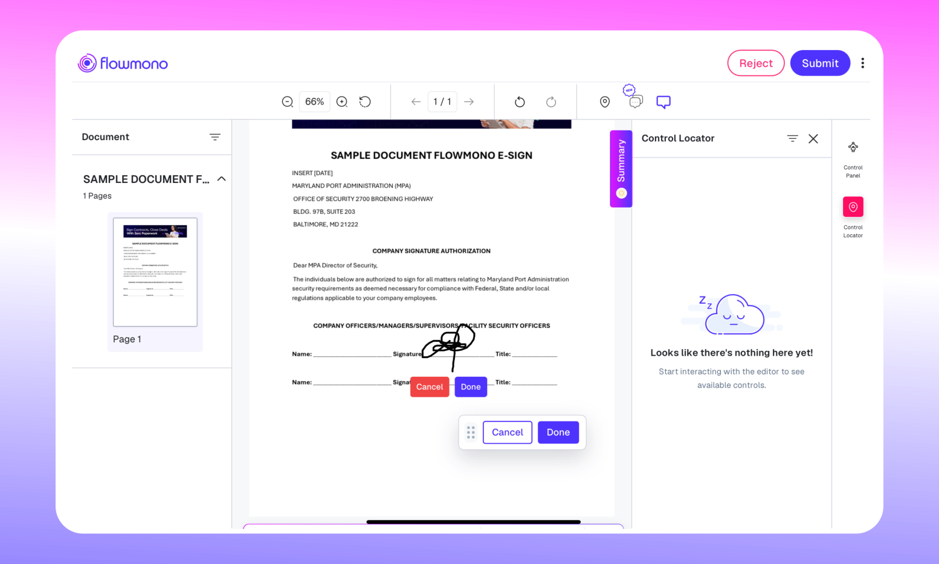
4. The Free Signer Opens the Document: When the recipient opens it, the annotation tool activates automatically. They can place their signature, initials, text, or notes wherever makes sense to them.
5. Sign and Submit: The recipient completes their signing and submits. The document moves forward in the workflow exactly as it would for a standard signer.
Two Modes, One Tool
The Freehand Tool operates in two distinct modes that cover the full spectrum of enterprise document interaction.
1. Structured Mode: placeholder-based, for formal regulated workflows
In Structured Mode, signature and annotation controls are placed on the document in defined positions before it is sent. Signatories interact with those controls. Validation checks that all required controls are completed before the document can be submitted. This is the appropriate mode for documents where signature position carries regulatory or legal significance, such as loan agreements, policy issuance documents, or settlement discharge forms.
2. Freehand Mode: sign anywhere, annotate freely, for executive reviews and contextual approvals
In Freehand Mode, there are no placeholder fields. The signer interacts directly with the document using the Apple Pencil. They can place their signature, initials, text annotations, or freehand markup at any location on any page. This is the appropriate mode for executive reviews, site inspections, contractor sign-offs, and any workflow where the precise location of interaction cannot or should not be predetermined
| The choice between modes is not about formality versus informality. It is about whether the document’s signing convention is structurally predictable. When it is, use Structured Mode. When it is not, use Freehand Mode. |
Where This Actually Helps
The value shows up most clearly with recipients you don’t have a fixed process for.
A procurement team onboarding a new vendor doesn’t always know where that vendor’s authorized signatory prefers to mark a document, and chasing that detail for every new supplier adds friction to something that should be routine. With Free Signer configured for the vendor’s email, the document goes out without anyone having to guess the layout first.
A contractor signing a scope-of-work document in the field, often on a phone with a spotty connection, doesn’t want to zoom in to find a small field. Free Signer lets them sign wherever their thumb lands.
A customer-facing team sending agreements to a large, changing list of external signers doesn’t have time to place controls for each one individually. Once those emails are on the Free Signer list, that setup step disappears for good.
Benefits
– Faster document preparation, since there’s no need to place controls for these recipients.
– Greater flexibility for external parties who may sign from different locations or devices.
– Less setup effort for initiators handling high volumes of documents.
– A more natural signing experience for recipients, who aren’t restricted to predefined fields.
– Better fit for real-world signing, where exact placement often isn’t known in advance.
This is built for the recipients outside your organization: vendors, contractors, partners, and customers, where you control the document but not the person on the other end.
| The Free Signer designation is governed by the Organisation Admin, not by individual initiators. This ensures that free signing access is controlled and auditable, even as the signing experience itself is flexible. The audit trail remains identical to a structured signing event. |
The Six-Layer Architecture
The reason the Flowmono Freehand Tool can deliver genuine flexibility without sacrificing governance is its six-layer architecture. Each layer performs a specific function. Together, they create an environment where every annotation is simultaneously natural, defensible, and auditable.
1. PDF Layer
The base document layer. All Freehand Tool interactions operate on top of the original PDF without modifying the underlying document structure. The original file integrity is preserved throughout.
2. Annotation Layer
The layer on which all signatures, initials, text, and freehand marks are placed. Annotations are stored separately from the PDF layer, allowing them to be extracted, reviewed, or presented independently while remaining visually integrated with the document.
3. Gesture Engine
The input processing layer that translates Apple Pencil movements into annotations at under 16ms latency. The gesture engine distinguishes between intentional marks and incidental contact, handles pressure sensitivity, and interprets tilt for natural stroke variation.
4. Audit Engine
The evidentiary layer. Every annotation event, including the precise coordinates, the timestamp, the identity of the signer, and the sequence of strokes, is captured by the audit engine at the moment it occurs. This record is tamper-evident: it cannot be altered after the fact without detection.
5. Workflow Engine
The process orchestration layer. After a Free Signer or Freehand user completes their interaction, the workflow engine routes the document to the next step: the next signatory, an approver, an archive, or any other configured destination. The document does not require manual forwarding.
6. AI Intelligence Layer
The analytical layer. The AI intelligence layer provides signature detection (identifying where signatures have been placed), annotation classification (categorising marks as signatures, initials, text, or freehand), handwriting OCR (converting handwritten text to searchable data), approval intelligence (inferring approval status from annotation patterns), and compliance validation (checking that the document meets configured signing requirements).
See the Full Freehand Tool in Action
The Flowmono Freehand Tool delivers placeholderless signing across two modes with a six-layer architecture that makes every stroke legally defensible. Explore it today.
