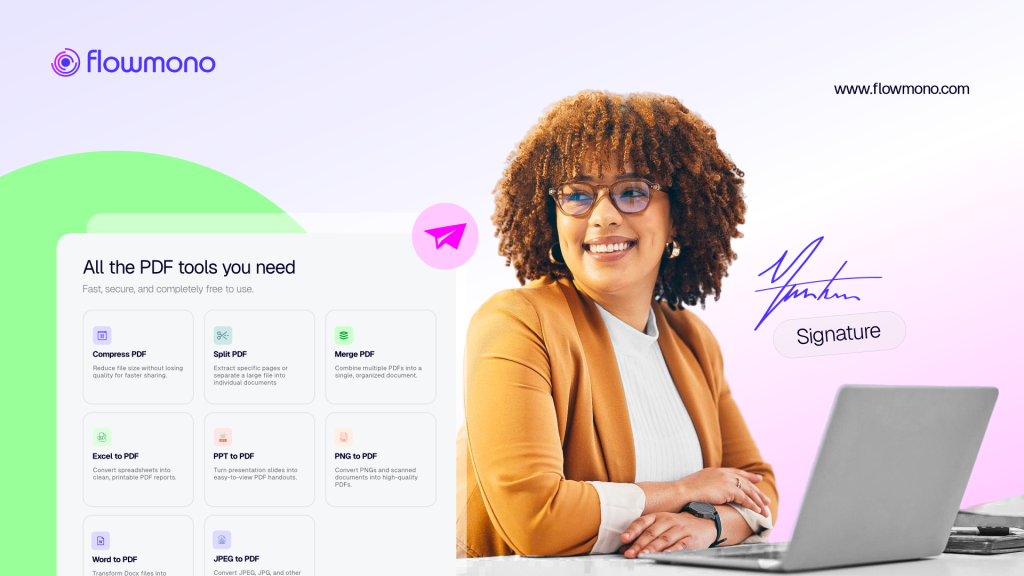
Take a look at your browser right now. If you are managing contracts, legal agreements, or human resources onboarding packets, you likely have a messy yard of open tabs. You have one tab for your cloud storage, another for a file conversion tool, a third for a PDF editor to fix a last-minute typo, and a fourth dedicated strictly to your e-signing vendor.
This isn’t just an organized mess. It is an expensive operational bottleneck.
When your team constantly jumps between disparate document tools, they pay a heavy context-switching tax that drains focus, and slows down deal cycles.
Below, we break down exactly how modern document teams are leveraging Flowmono PDF Studio to collapse the distance between editing and signing, keeping their entire workflow contained within a single, secure browser tab.
The “Death by 10 Tabs” Workspace
In theory, preparing and signing a corporate document should be straightforward. In reality, legacy systems split document preparation and document execution into entirely separate software universes.
Consider the standard journey of a vendor contract or a new-hire onboarding packet. A manager spots a minor error, could be a misspelled name, or a missing text box. To fix it, the workflow grinds to a halt. The user must:
1. Download the document from their e-sign draft queue.
2. Open a third-party conversion tool to transform the PDF back into an editable format.
3. Launch a desktop word processor to correct the text.
4. Export the document back into a clean PDF.
5. Log back into their e-signing platform, re-upload the file, and manually re-map every single signature field from scratch.
“We were losing hours every week simply moving files from one web tool to another. If a contract needed a single word changed, our team had to restart the entire upload and tagging process from square one. It was a massive drain on morale and speed.”
This mechanical friction takes roughly 5 to 10 minutes per document. When multiplied across a scaling team handling dozens of files a week, this “click fatigue” quietly steals hours of productive time. Worse, local downloads create a compliance nightmare, leaving sensitive corporate data scattered across local download folders.
The Solution: A Unified Canvas for Editing and Execution
Flowmono PDF Studio eliminates this friction by treating your documents as flexible, fluid digital canvases. Instead of forcing you to choose between an editing tool and a signing tool, Flowmono unites both actions into one seamless screen.
[ Upload File ] ➔ [ Edit Text & Layout ] ➔ [ Immediate E-Sign Handoff ]
ALL INSIDE A SINGLE BROWSER TAB
By keeping the document journey in a straight line, teams move from raw drafts to legally binding signatures in seconds. Here is how the no-tab-switch workflow functions in real time:
1. Direct Multi-Format Ingestion
You no longer need external file converters. Whether your document arrives as a Microsoft Word file (.docx), a standard .pdf, or a flat image file (.jpg or .jpeg), you can drop it directly into the Flowmono canvas. The platform instantly standardizes the file into a secure, production-ready PDF on the spot.
2. In-Line Real-Time Modifications
If a contract requires a quick adjustment, you do not leave the screen. The editing canvas allows you to type new text, adjust layout alignments, and fix formatting issues directly inside the platform.
3. Seamless Flowmono E-Sign Handoff
Once the layout is flawless, there is no download button to click. You simply pass the document straight into the Flowmono E-sign pipeline or queue it up for the AI Co-signer. The file never leaves the secure workspace, and your mouse never leaves the screen.
Deep Dive: How Core Departments Eliminate Tab Switching
Legal Operations: Handling the Redline Rush
Legal teams routinely struggle with last-minute contract adjustments. In traditional workflows, a minor edit requested by a client means pulling the contract out of the signature pipeline, redrafting it locally, re-converting it, and manually replacing all recipient fields.
With Flowmono PDF Studio, legal teams handle these requests instantly:
The Old Way: 15 minutes of downloading, converting, re-uploading, and re-tagging signature lines for a two-word modification.
The Flowmono Way: The lawyer opens the file in PDF Studio, edits the text layer directly on the screen, verifies the pre-mapped signature blocks, and triggers the live signing workflow in under 60 seconds.
HR Operations: Streamlining the Onboarding Sprint
Onboarding a new executive requires gathering a diverse mix of files, such as a Word document offer letter, a JPEG photo of a government identity card, and standard tax compliance forms.
The Old Way: Using multiple sketchy online tools to merge different file formats together, saving the massive file to a desktop, and uploading it to a separate e-signature vendor.
The Flowmono Way: HR leads drop all multi-format assets straight onto the PDF Studio workspace. They arrange the page order, drop initials on the company policy pages, assign specific text boxes to the new hire, and route it to their inbox without a single tab switch.
The Ultimate Outcome: Protecting Focus and Speed
When you eliminate the gap between document preparation and signature execution, your operational metrics shift drastically:
1. Zero Time Wasted: Time-per-document drops from minutes of downloading and uploading to seconds of visual verification.
2. Absolute Data Integrity: Sensitive employee records and corporate financial contracts stay inside one secure, cloud-based ecosystem.
3. Deep Worker Focus: Eliminating tab clutter allows your operations, legal, and HR managers to maintain deep focus, freeing up mental energy for high-leverage strategic work.
The teams staying ahead in 2026 are not the ones working harder; they are the ones refusing to let administrative friction dictate their pace. Every tab your team closes is time given back to scaling your business.
Ready to clear your browser clutter?
Stop wasting critical work hours on manual downloads, external converters, and fragmented platforms. Experience the power of a truly unified document canvas today.
Click here to start now on the Flowmono E-sign page and experience friction-free document operations.
