A task is what you do. A workflow is the system that determines when, by whom, and in what sequence it gets done. Automating the former without redesigning the latter is the most common and costly mistake in enterprise automation.
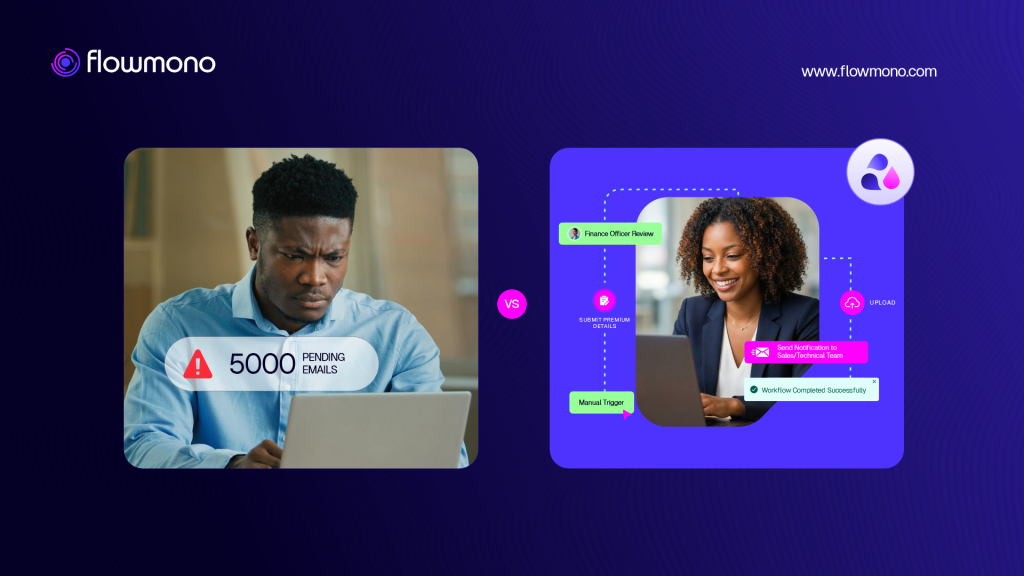
What Most Automation Actually Does
When most organisations say they have automated a process, they have usually automated a task. The invoice is now captured automatically instead of manually. The reminder email goes out without someone scheduling it. The document is routed to the next person without a manual forward. Each of these is a task automation. It removes a specific manual action from a specific point in a sequence.
Task automation is real and valuable. It saves time at the specific point where the task occurs. But it leaves the workflow around it unchanged. The routing logic is still informal. The approval chain is still email-based. The escalation path still depends on someone noticing the delay. The audit record is still reconstructed after the fact. Automating the task made that one step faster. The workflow is still the same fragmented system it was before.
Research from Flowable’s 2026 enterprise workflow automation analysis puts the evidence in precise terms: 80.3 percent of enterprise AI projects fail to deliver value, according to RAND research confirmed by Gartner in April 2026. The most common cause is not a technology failure. Embedding agents into workflows that already lack a unified view and consistent governance accelerates existing problems instead of fixing them, producing flawed decisions faster than anyone can catch them.
The Precise Distinction
A task is a single action performed by a specific person or system at a specific point in time. Send an email. Enter data into a form. Route a document. Approve an invoice. Each of these is discrete. It has a start and an end.
A workflow, as Tonkean’s analysis of workflow vs task automation explains, is not a single, predefined step. It is the operating system that determines when tasks are triggered, which path they take based on conditions, who is responsible for each step, what happens when a step fails or is delayed, and how the overall outcome is recorded. A workflow understands the broader operational context in ways that a task does not.
| Automating a task is like installing a faster engine in a car with broken steering. The vehicle moves more quickly toward the same problems. Redesigning the workflow is like rebuilding the car for the road you are actually on. |
Why the Confusion Persists
The confusion between task and workflow automation persists because task automation is easier to buy, faster to deploy, and produces visible results quickly. An automation tool that sends reminders automatically is demonstrably useful within days of deployment. A workflow redesign requires process mapping, stakeholder alignment, exception handling configuration, and testing before it produces anything visible.
Leaders under pressure to show AI and automation progress choose the faster visible win. This is rational in the short term. The problem is that the short-term win does not compound. Each task automated independently adds a small efficiency at a specific point. The bottlenecks simply move to the next manual step in the unresigned workflow.
As Information Week’s 2026 analysis of AI automation failure frames it: AI does not automate the process that a company wishes it had. It automates the process the company actually has. That includes the gaps, the exceptions, the informal decisions, and the handoffs that never appear in a process diagram. If those realities are not visible and addressed, automation makes a fragile workflow faster without making it better.
What Workflow-Level Automation Actually Requires
1. Map the actual process, not the ideal one
The process as it runs today, including the informal shortcuts, the exception paths, and the steps that exist because the official process does not accommodate reality. The map must reflect what actually happens, not what the procedure document says should happen.
2. Define the trigger, the steps, the conditions, and the outcome
Every workflow has these four elements. Where they are undefined, automation will fill the gap with its own default behaviour, which is rarely what the organisation intended. Define them explicitly before any automation is configured.
3. Identify the handoffs where work currently waits
The bottlenecks in most workflows are not in the tasks themselves. They are in the spaces between tasks, where work waits for a person to notice it, pick it up, and move it forward. These handoffs are where workflow automation delivers its most significant value.
4. Automate the routing and escalation, not just the actions
Task automation handles the action. Workflow automation handles what happens before and after the action: who receives the work, when they receive it, how long they have to act, what happens if they do not, and where the record of the completed action is stored.
The Forrester 2025 Automation Landscape Report, cited by AI Essentials’ workflow automation failure analysis, found that organisations which optimised their workflows before deployment were 43 percent more likely to capture productivity gains in year one. The organisations that did not were disproportionately represented in the automation-did-not-deliver group. The workflow redesign, not the tool selection, was the differentiating factor.
What This Means for Document Operations
In document operations, the task-versus-workflow distinction is immediately practical. Automating the conversion of a Word file to PDF is task automation. Building a workflow that receives a document in any format, converts it inside the platform, routes it to the correct approver based on category and value, escalates if the approval is overdue, records the decision in a tamper-evident audit trail, and archives the completed document automatically is workflow automation.
The first saves seconds. The second changes the architecture of how document work moves through the organisation.
Flowmono is built for the second kind. It connects document preparation, conversion, signing, approval routing, escalation, and audit recording inside one governed system rather than automating each step in isolation. For more on what this looks like in practice, read our article on AI Co-Signing as workflow-level intelligence. See the full platform at Flowmono.
